The Check Every Bank-Statement Converter Skips
Modern OCR reads a bank statement fine. Almost no converter checks whether it read it right — here's the balance-verification logic we built the product around.
If you've ever done catch-up bookkeeping, you know the moment: a client hands you 18 months of PDF bank statements, and your accounting software wants rows, not PDFs. So you reach for a converter.
Here's the thing almost every converter gets wrong — and it's not what you'd expect.
The failure mode isn't reading. It's trusting.
A few years ago, "PDF to Excel" was genuinely hard. Today, a decent vision model reads a bank-statement table without breaking a sweat. So the natural assumption is that extraction is a solved problem.
It isn't — but the failure has moved. The tools don't fail loudly by refusing to read your statement. They fail silently: an "8" gets read as a "3", a decimal point drifts, a 1,240.00 becomes 240.00. The export looks perfect. You import it. And you don't discover the corruption until three weeks later when the books won't reconcile and you're re-checking 400 rows by hand.
Reading the statement is the easy 95%. The dangerous 5% is a misread digit that nobody catches.
The check bookkeepers already do — and software should
Every bank statement has a built-in checksum that bookkeepers have used forever:
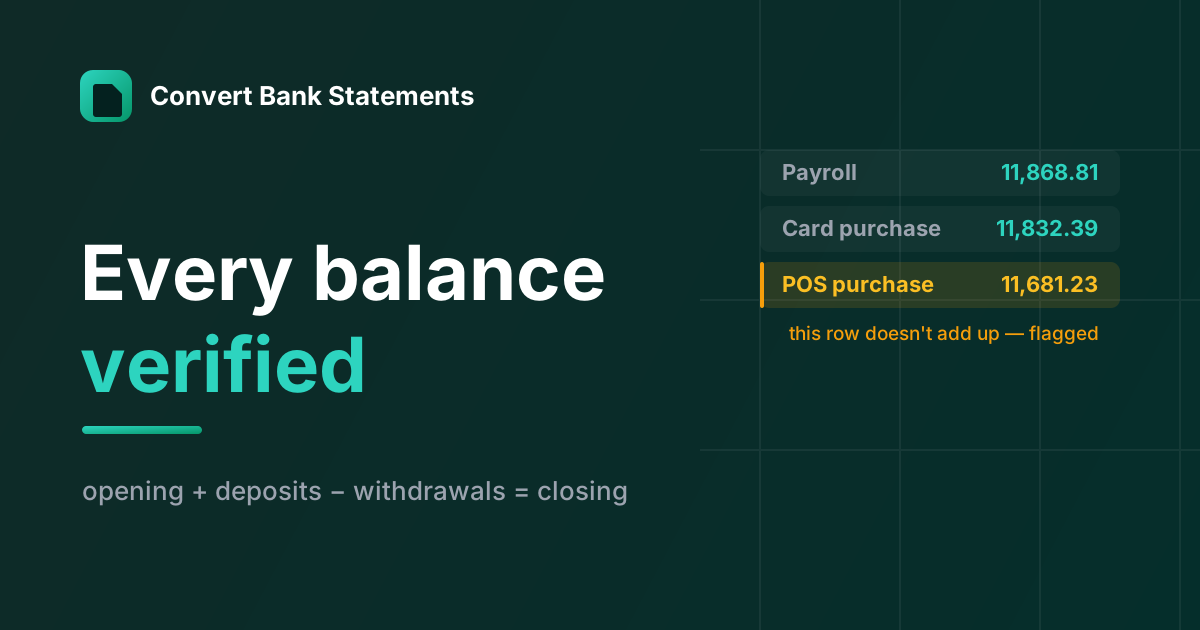
opening balance + deposits − withdrawals = closing balanceIf a human bookkeeper keys in a statement and the closing balance doesn't match, they know they fat-fingered something and they go find it. The statement tells you when the numbers are wrong.
Almost no converter does this. They OCR, format, and export — full stop. The one piece of ground truth printed right there on the page (the closing balance) goes unused.
So that's what we built the product around: a statement should reconcile before you trust it.
How the check actually works
There are two layers to it. The first tells you whether an account is clean; the second tells you which row to look at.
For each account on a statement, we extract the printed opening and closing balance (they're almost always on the page — that's the anchor), and every transaction with its sign, plus the running balance printed on each row when the statement has a balance column.
Layer 1 — the aggregate check. Sum every transaction and verify opening + Σ(signed amounts) = closing, to the cent. All of it runs in integer cents, never floating point — currency in floats is how you conjure a phantom $0.01 — with a ±1¢ tolerance. Credit cards flip the sign (more on that below). If it ties, the extraction is internally consistent: a misread digit almost always breaks the total, so a clean reconciliation is a strong signal. If it doesn't tie, we don't silently export bad numbers — we flag the account for review.
Layer 2 — localising the break. "This account is off by $100" isn't much help on a 300-row statement. So for every row that prints a running balance, we check the step: previous balance + this row's signed amount = this row's printed balance. The row that breaks that step is the one to review — either its amount or its balance was misread. We re-anchor to each printed balance as we go, so a single bad row gets pinpointed instead of cascading a red flag onto every row beneath it. Rows without a printed balance can't be checked in isolation, so they carry the computed balance forward to the next row that does print one.
What you see in the result: the account is marked reconciled or review, and when we can localise it, the exact offending row is highlighted — so you check one line, not four hundred.
The moat here isn't reading the PDF. Anyone can do that now. It's proving the read is right, and pointing at the one line that isn't.
The parts that are genuinely hard
A few things turned out to be much messier than "extract a table":
- Multi-account statements. Business statements often bundle checking + savings + a credit line into one PDF. Flatten them into a single list and deposits from one account land in another's ledger. Each account has to be split out and reconciled independently, against its own opening and closing balance.
- Credit-card polarity. On a credit card, a payment reduces what you owe and a purchase increases it — the opposite sign convention from a checking account. Get it wrong and every balance check fails (or worse, passes with inverted numbers). It has to be handled per statement type.
- Scanned statements. No text layer, so it's real OCR, and OCR flips digits (8↔3, 1↔7) exactly where it hurts. The balance check is what saves you: a flipped digit breaks the running total and gets flagged instead of shipped. (More on this in converting scanned bank statements.)
- Statements that legitimately don't reconcile. Sometimes a statement has a mid-period adjustment, a fee summarised oddly, or a genuinely strange bank format. The check has to distinguish "the software misread something" from "the bank's own math is presented unusually" — and when in doubt, flag rather than guess.
Why we don't store your PDF
One design choice worth mentioning, because it's the opposite of the industry default: the uploaded PDF is auto-deleted in 24 hours, results auto-delete, and nothing is used to train a model. Bookkeepers handle other people's financial data; "we delete it automatically" should be the baseline, not an upsell. (The full details are on our security page.)
The takeaway
If you're evaluating any bank-statement converter — ours or anyone's — the single question that matters more than accuracy claims is: does it verify that it read the statement correctly, and does it tell you when it didn't? Extraction is commoditised. Verification is the part that keeps a misread digit out of someone's books. (It's also the main reason people move to us from tools like DocuClipper.)
We built Convert Bank Statements around exactly this — PDF or scanned statements to Excel, CSV, QuickBooks (.QBO) and OFX, with every balance reconciled and the rows that don't add up flagged for review. The first 15 pages are free, no sign-up, and page packs are pay-once — no subscription for a job you do a few times a year.
If you do this work daily, I'd genuinely like to know: what's the messiest statement you've ever had to convert?
More Posts
How to Convert a Chase Bank Statement to Excel or QuickBooks
Turn a Chase bank statement PDF into Excel, CSV, or a QuickBooks .QBO file — with balances verified. A quick guide for Chase checking, savings, and credit-card statements.

How to Convert a Brex Statement to Excel or QuickBooks
Turn a Brex card or cash statement PDF into Excel, CSV, or a QuickBooks .QBO file — every balance verified — for catch-up bookkeeping, audits, or a financing round.
How to Convert a TD Bank Statement to Excel or QuickBooks
Turn a TD Bank statement PDF into Excel, CSV, or a QuickBooks .QBO file — including old statements TD no longer offers as CSV. Every balance verified.
Newsletter
Join the community
Subscribe to our newsletter for the latest news and updates